Wonder Tools
Wonder Tools helps you discover the most useful sites and apps. Building on one of Substack's most popular productivity newsletters, each episode of the podcast includes specific tips on how to make the most of these new tools to work creatively and productively. wondertools.substack.com
Teach Smarter with AI
I recently talked with Lance Eaton, Senior Associate Director of AI and Teaching & Learning at Northeastern University and writer of AI + Education = Simplified. We traded ideas about what’s actually working. We came up with 10 specific, practical ways anyone who teaches, coaches, or leads can put AI to work.
📺 Watch the full conversation above, or read highlights below.
10 Ways to Use AI 🛠️
Note: Lance and I alternated tips below 👇
1. Spark Richer Student Reflection 🪞
Lance: Ask students to reflect through a conversation with AI rather than staring at a blank page. A well-pro...
📚 Find Fantastic Books

Escape AI slop by reading more books. 📚 That’s my plan for making the most of leisure time this year. One book a week. Some short. Others mostly visual — I love graphic novels. Plus a new AI & tech book group I’m starting.
Books get my eyes off screens, and my brain welcomes that break from news, vitriol, and ads. Read on for my updated guide to finding great read this year.
📖 Find your next read
* Most Recommended Books Pick the name of an expert to see what books they recommend and why.
* Goodbo...
Make Gatherings More Engaging ✨
The hardest part of teaching — or leading meetings — is sparking engagement. Getting people to engage enthusiastically with something new can be tough. It’s especially challenging if people are overwhelmed, super busy, or just tired.
As we aim to stretch people’s thinking in a new direction, tools are just one part of the overall picture. But they can help. Last week I shared five tools for creating learning paths, interactive lessons, and new kinds of digital notebooks. Today’s follow-up recommendations focus on creative engagement.
You don’t have to be a teacher to find these r...
Top Teaching Tools for 2026 🏆
I tested more than 200 educational sites, apps and services last year. Some were so confusing that I quickly gave up. Others were too costly. A few went out of business. Many were narrowly useful, e.g. for 3D modeling, math, or music.
The top tier tools have consistently been super valuable for me — in my teaching, in my job at the City University of New York, and as a dad of two daughters. To save you the time and effort of sifting through the chaff, I’m sharing the ones I find most useful. Even if you’re not...
🎧 Podcast Overload? Here's My Fix
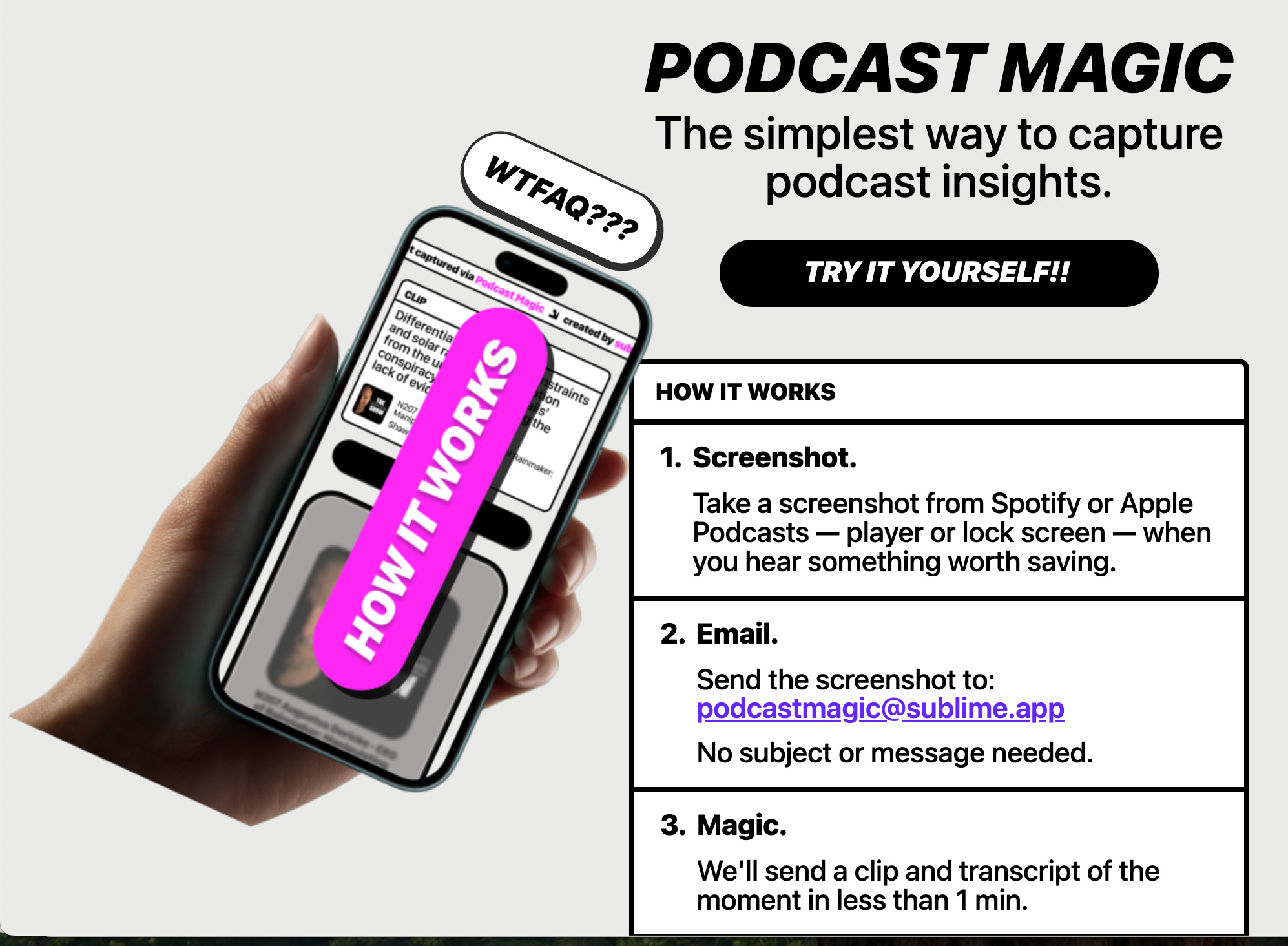
More than 600,000 podcasts released 27 million episodes in 2025. Keeping up with even a tiny fraction of those 70,000+ daily releases is impossible. So I’ve been exploring new ways to keep up with audio: podcast summaries, audio digests, and cool new tools for finding and saving audio highlights.
Podsnacks — Get podcast summaries by email
Get podcast summaries delivered to your email. Catch up on shows you don’t have time to listen to. The free digest includes AI-generated summaries drawn from 25 of the most popular news, business, and tech podcasts. For $5/month, you can get a daily digest...
🗞️ Your News, Your Way
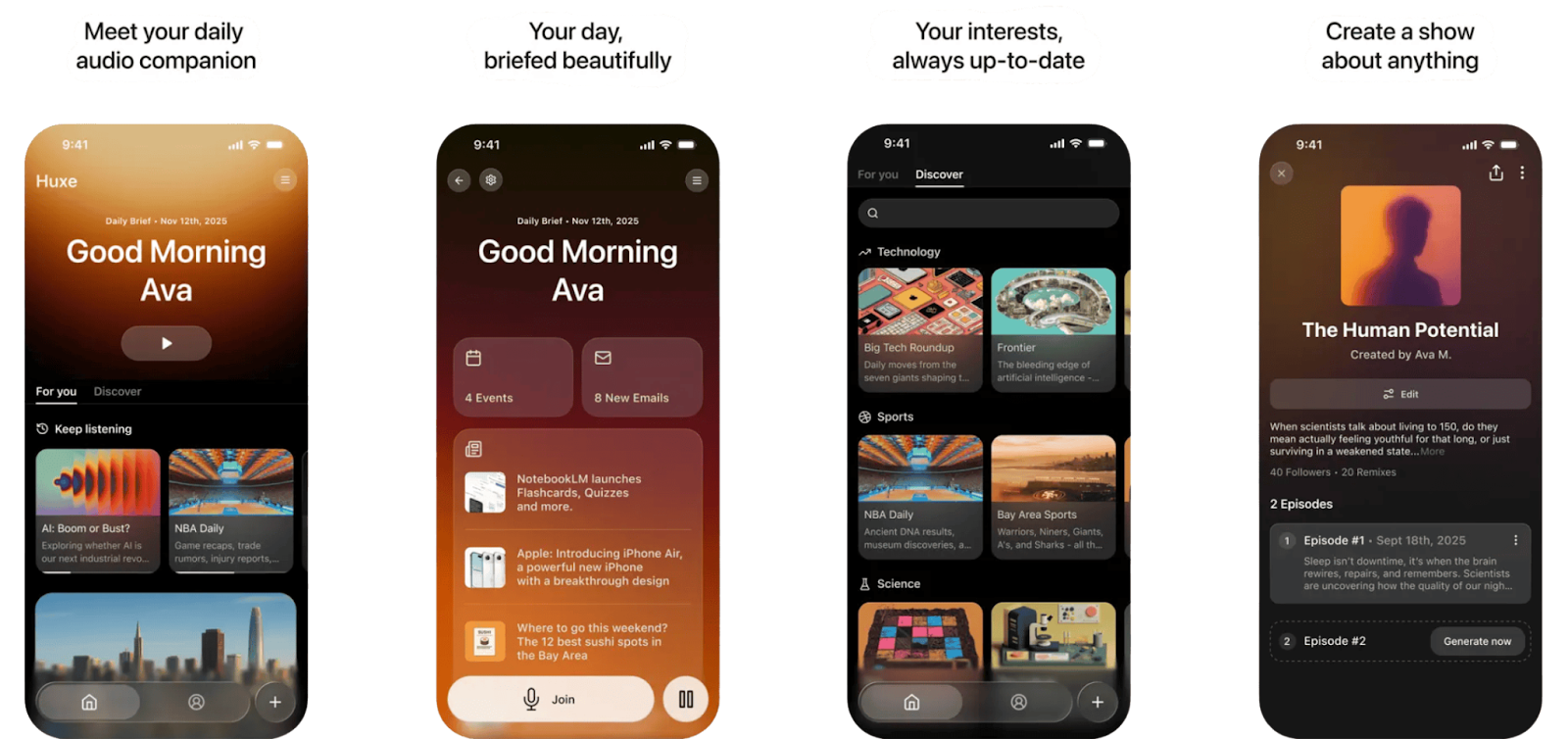
I can’t keep up with all the news that interests me. So I’m exploring new ways to get concise, curated updates. Today I’m sharing three new tools I like.
* Huxe Personalized audio shows drawn from your interests, calendar, & email
* Google CC A morning summary of your email inbox
* Yutori Scouts AI agents that monitor your fave topics and deliver reports
Read on for examples of how each works, and how to make the most of them.
Huxe — Personalized Audio Updates
Huxe is a personalized audio ap...
Azeem Azhar's Favorite Tools ✨
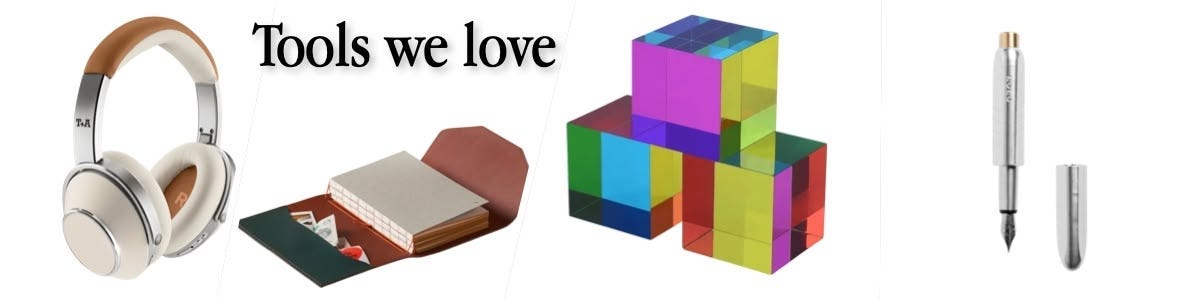
Azeem Azhar is the kind of guy who loves both old-fashioned pens and advanced AI.
It was a delight talking with him, not just because he’s a successful entrepreneur, author, and interviewer, but because we share quirky tech tastes.
Azeem and his team publish Exponential View — a Substack with 140,000+ subscribers — about how tech is shaping our future. In our live conversation, we talked about Azeem’s AI — and analog — workflow. The discussion also touched on 18 sites, apps, and gadgets summarized below.
📺 Watch the video for the full chat, or check the highlights and tool list b...
10 AI Tools I Actually Use ✨
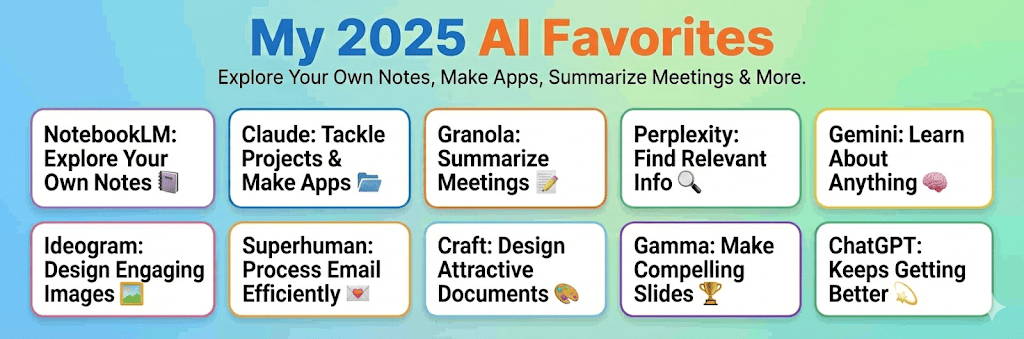
I’ve relied on these 10 tools this year to act as a team of AI assistants. They’ve helped me approach work with a spirit of experimentation and exploration. To read the full post online with all the links and details, visit https://wondertools.substack.com/p/my-2025-ai-favorites
This is a public episode. If you'd like to discuss this with other subscribers or get access to bonus episodes, visit wondertools.substack.com/subscribe
Ideogram, Explained 🪄

I rely on Ideogram, an AI image generator, to help me create posters, banners, social posts, newsletter illustrations, and video thumbnails.
Context: Ideogram competes in an exploding market. Gemini’s new Nano Banana Pro makes remarkable infographics, ChatGPT’s image generator produces fantastic illustrations, and Canva, Adobe, and Midjourney keep getting stronger. Yet I still find myself returning often to Ideogram. Read on for 10 reasons why — and a guide to getting started.
10 reasons I like Ideogram
* Your prompt gets automatically improved. Ideogram’s magic prompt algorithm refines your initial query. You can then approve i...
NotebookLM: The Complete Guide 📍
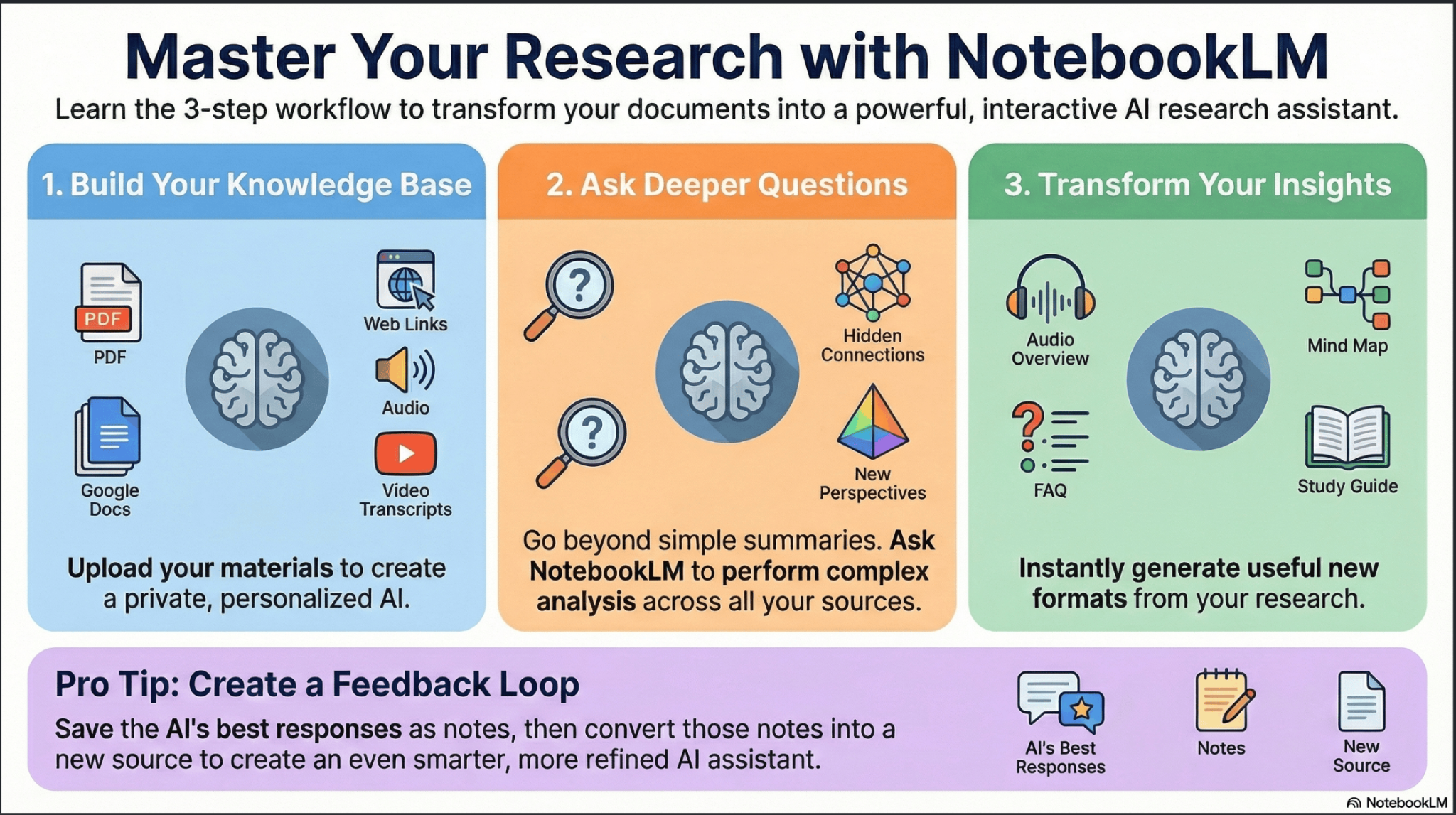
NotebookLM is the most useful free AI tool of 2025. It has twin superpowers. You can use it to find, analyze, and search through a collection of documents, notes, links, or files. You can then use NotebookLM to visualize your material as a slide deck, infographic, report — even an audio or video summary.
How to set up a notebook
* Pick a purpose. Start a new notebook for a work project or a learning goal. Examples: I created a notebook to organize materials for the new online bilingual MA program we’re developing at the CUNY Newmark Grad...
5 Surprising Ways to Use AI 😳

I like pushing AI to be less predictable. When AI assistants are less bland and more bold, they challenge my blind spots and nudge me to rethink.
So I asked one of the boldest AI experimenters I know, Alexandra Samuel, to share unconventional tips and tactics when she visited New York recently from Vancouver.
Alex, who writes about AI for the Wall Street Journal and the Harvard Business Review, surprised me with the scale of her AI efforts. She described creating 200+ automation scripts and building a personal idea database that helps with drafting pitch emails...
🌟 Google Docs Gets Smarter
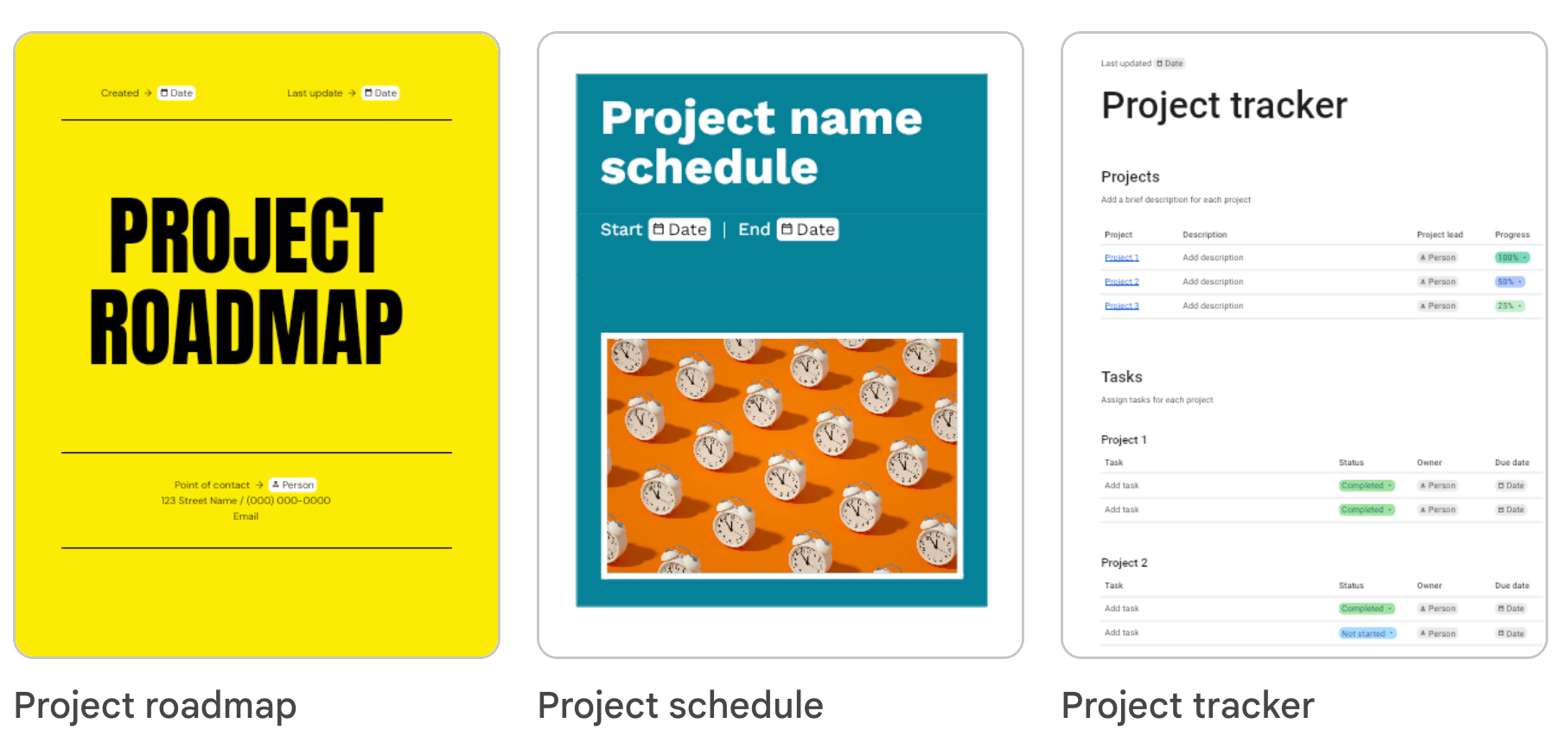
Google Docs has new tricks to try: an audio button to hear your writing read aloud; an optional AI helper to summarize your doc; an activity dashboard to see who is viewing your work; and colorful templates to add visual spice.
A billion people use GDocs, making it the most popular free writing tool in the world. It remains reliable, free and easy to use. Read on for an update on what’s new and notable.
5 notable new Gdocs features
1. Get AI help compiling a new doc 🧑💻
“Help me create” is a new command...
📱The Best Mobile AI Apps
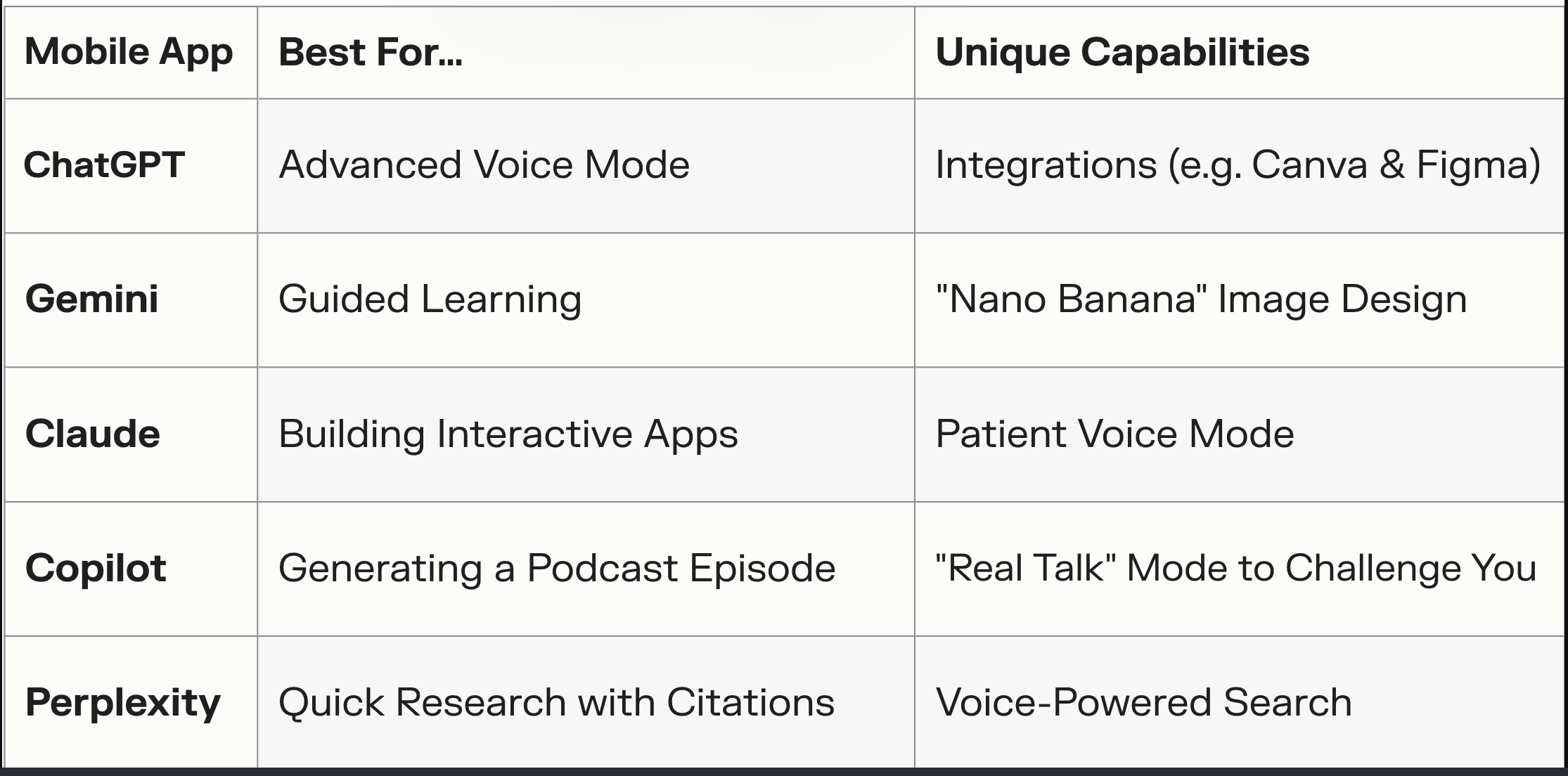
15-second summary of this post: Your phone is now a pocket AI studio. Design a presentation, get voice coaching, conduct research, or make a quick infographic. The biggest players — ChatGPT, Gemini, Copilot, and Claude — all offer numerous free features on both iOS and Android. And a growing group of alternative AI apps now offer private AI for free. [See my recommendations for free, private AI on your laptop.]
Read on👇 for a guide to the most notable features of the top AI chat apps.
ChatGPT: Your Conversationalist 🗣️ iOS & Android
Advanced Voice Mode is the ChatGPT...
🎯 My Private, Free AI Setup
Short on time? Read this 30-second summary of today’s post. 👇
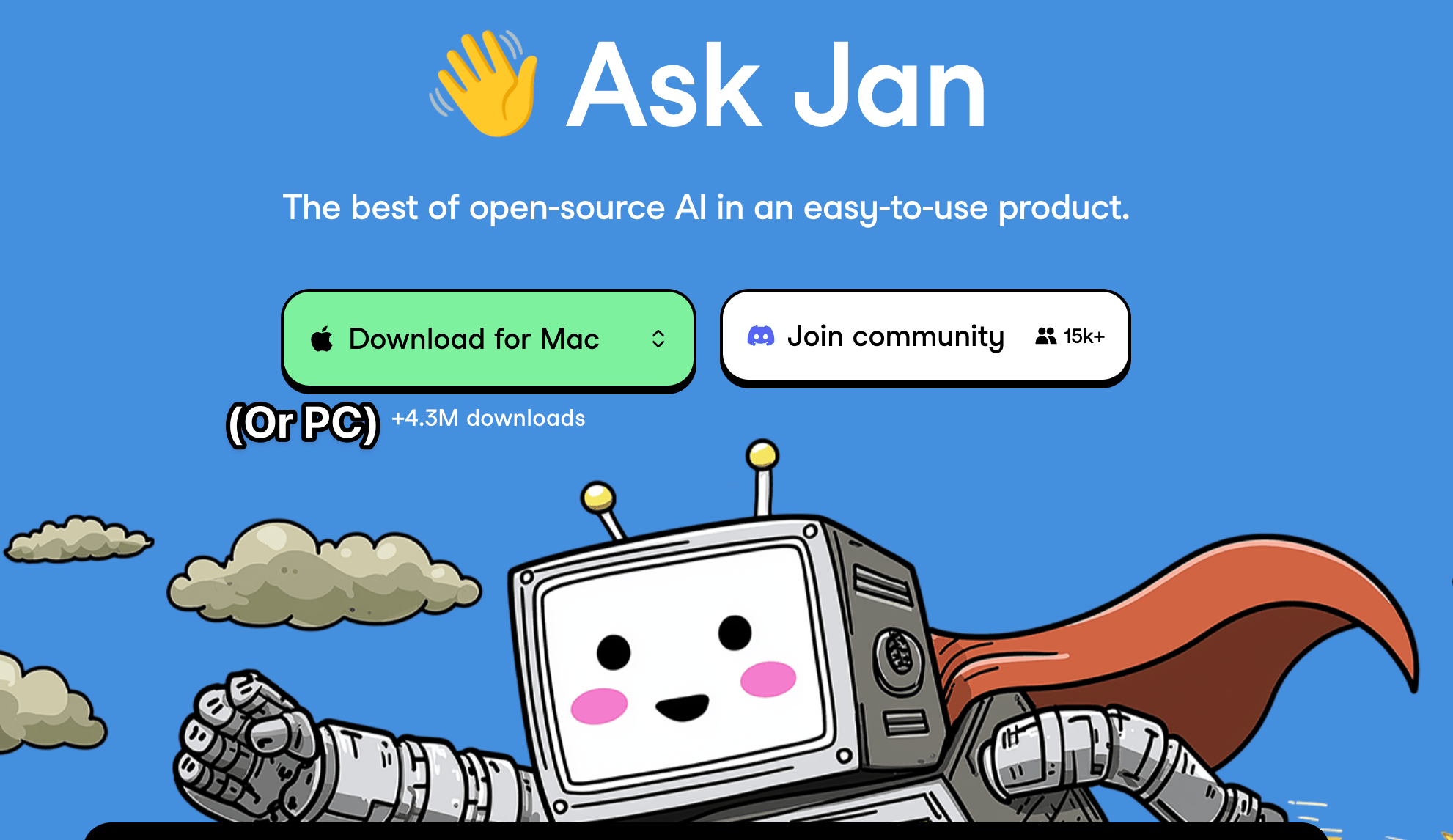
Download a free, private AI program to run on your computer. Use it offline without any subscription cost and avoid the risk of having sensitive info ingested into a large language model like ChatGPT, Claude, or Gemini. The newest versions of private AI tools like Jan run easily on my 2021 Mac laptop, cost nothing, are easy to use. They’re a good alternative to costlier AI platforms.
🔰 Quick start guide
* Download and install the free Jan. Other good free alternatives to consider include Ms...
✨ Claude Turns Ideas into Apps
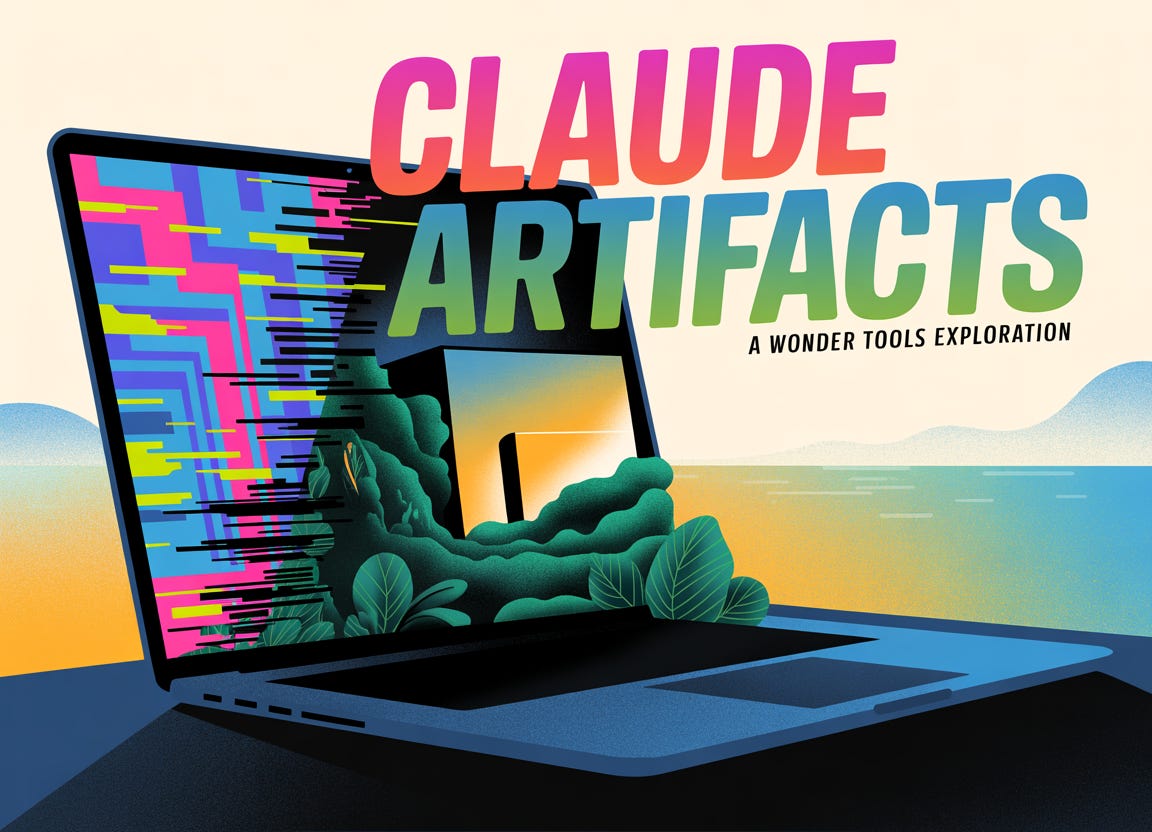
Claude feels like a genie to me. With its Artifacts feature I can turn any idea I have into an interactive application, visualization, or graphic. Yesterday I created a Flashcard maker and a breathing app. No coding. Just a short AI chat conversation. No complexity. I dream up an idea, and Claude makes it instantly real. I iterate with chat to make it better. Read on for a guide to making the most of Artifacts with examples and ideas you can build yourself.
✨ How to turn ideas into apps (no coding)
* Create a free Claude.ai...
20+ Kid Tools for Better Screen Time 🎨
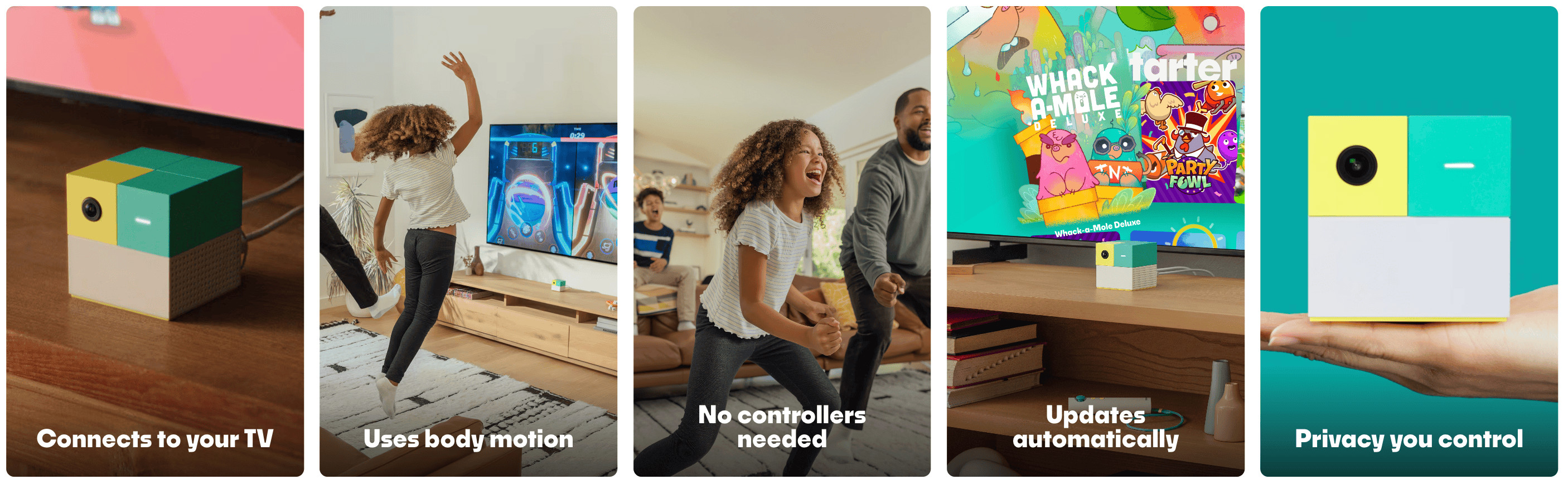
Not everything creative needs a prompt. The Web is increasingly flooded with AI-generated images and videos, much of it aimed at kids. Sometimes it’s nice to break free of that synthetic media.
As a dad of 10 and 12-year-old daughters, I appreciate resources for kids and families that celebrate human imagination, curiosity, and hands-on exploration.
I had a fruitful recent conversation about resources for kids with a fellow dad, Kevin Maguire, who writes the great newsletter The New Fatherhood. If you’re a dad looking for great reads and a sense of community, check out Kevi...
Gretchen Rubin’s Secrets of Adulthood: Live with Jeremy Caplan
This is a public episode. If you'd like to discuss this with other subscribers or get access to bonus episodes, visit wondertools.substack.com/subscribe
What's in My Conference Bag 💼
In part one of this post, I shared my conference prep and networking toolkit. But here's the thing: conference value often gets lost the week after. You return exhausted, with a phone full of photos and a head full of ideas that slowly fade.
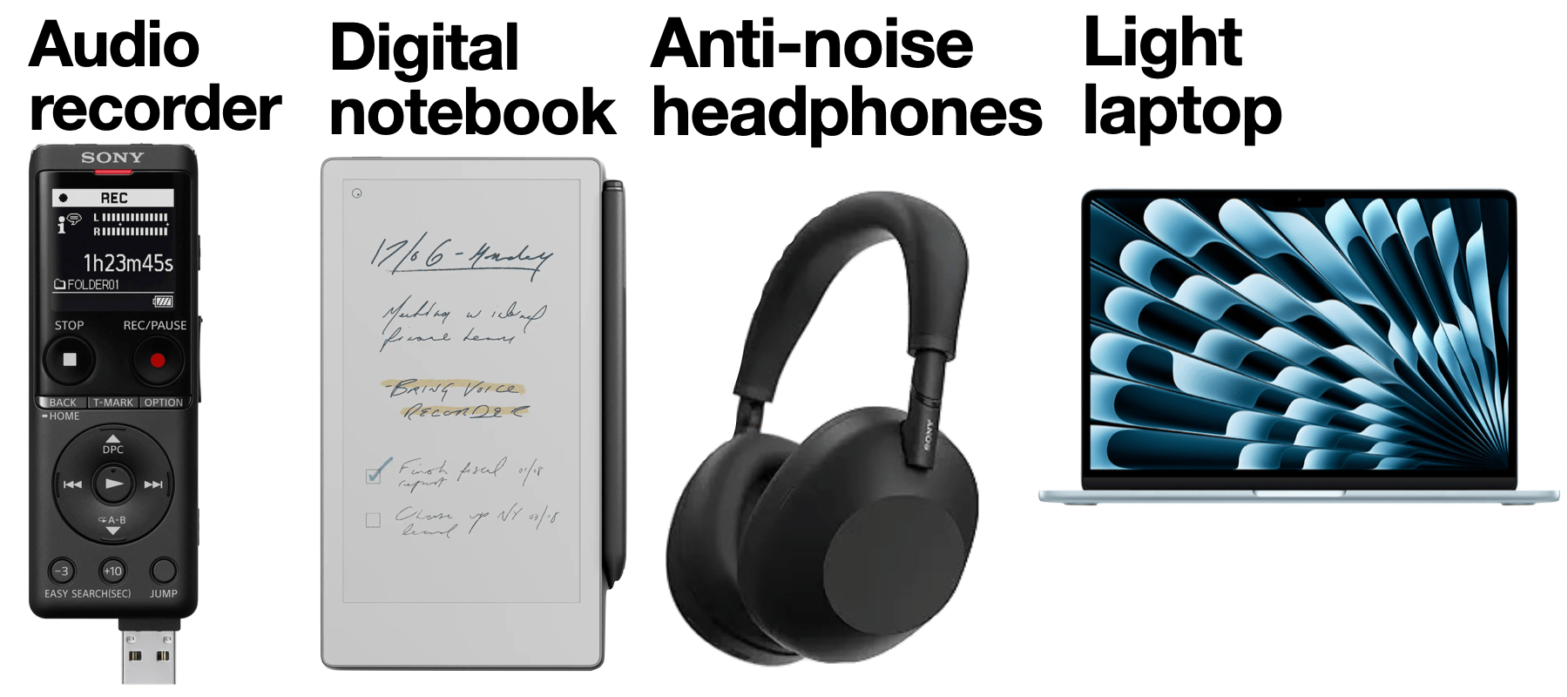
Two things can help. A little hardware — worth its carry-on weight— and a few smart post-event tools. These streamline how I show up — and follow-up.
My Conference Gear
1. The Digital Notebook
reMarkable Paper Pro Move This new digital notebook is like a cross between a Kindle and an iPa...
My Conference Survival Kit 📱
I go to conferences just a few times a year. To make the most of the frenzied days, I rely on a suite of tools.
Read on below for those worth trying, and then read my follow-up post: What’s in My Conference Bag 💼
I. The Week Before
1. Mine Your Network Goldmine
Clay | This personal rolodex enhances your contact list with info from LinkedIn and whatever other social platforms you choose (Instagram, Facebook, X). You can use Nexus, its new AI-enhanced search, to surface contacts in your conference city, or people in yo...
📚 Meet Your New AI Tutor

AI assistants are now more than simple answer machines. ChatGPT's new Study Mode, Claude's Learning Mode, and Gemini's Guided Learning represent a significant shift. Instead of just providing answers, these free tools act as adaptive, 24/7 personal tutors.
Sponsored Message
🎥 Guidde | Create how-to guides with AI
Tired of explaining the same thing over and over again to your colleagues?
Guidde is an AI-powered tool that helps you explain the most complex tasks in seconds with AI-generated documentation.
* Turn boring documentation into stunning visual guides
* Save valuable time by cre...
Weird prompts, better answers 🧠

AI assistants are surprisingly conservative by default. Push them to be unconventional, and you’ll get dramatically different results. This updated guide shares my favorite techniques for getting fresh, useful responses instead of predictable pablum.
[Editor's note: Are you actually reading these episode notes? If so, I'd love to hear from you. Are they useful? Would you prefer they were shorter summaries of the post, rather than full text? Email jeremy at jeremycaplan.com if you have thoughts or feedback]
The prompts below push ChatGPT, Claude, or whatever other AI tool you prefer to break it...
🧠 4 Ways I Use AI to Think Better

Bland AI outputs grow stale quickly. Instead of just speeding up routine tasks, what if we used AI to slow down, challenge our thinking, and build new tools, dashboards, and experiments? Read on for creative approaches that are changing how I think about AI.
1. Create your own devil's advocate assistant 👿
Get thoughtful pushback on decisions. Challenge ideas.
The tactic: Use AI as an intellectual sparring partner to stress-test your thinking, explore alternative perspectives, and identify potential blind spots before making important decisions.
Try this: Present a plan, idea, or decision to an...
✨ AI Tools Worth Your Time
Four new AI tools caught my attention recently for solving specific problems well. They're free to try, quick to learn, and point toward where AI is heading.
1. Lovart 🧑🎨
Create a brand kit or marketing campaign with an AI design agent
Lovart’s conversational interface allows you to generate posters, social posts, branding kits, storyboards — even packaging. Unlike other image generation tools, you can generate dozens of images from a single prompt, then iterate on the results in a chat dialogue. You can also edit the images. I used an eraser to remove stray text in a pr...
My all-in-one productivity tool 🚀
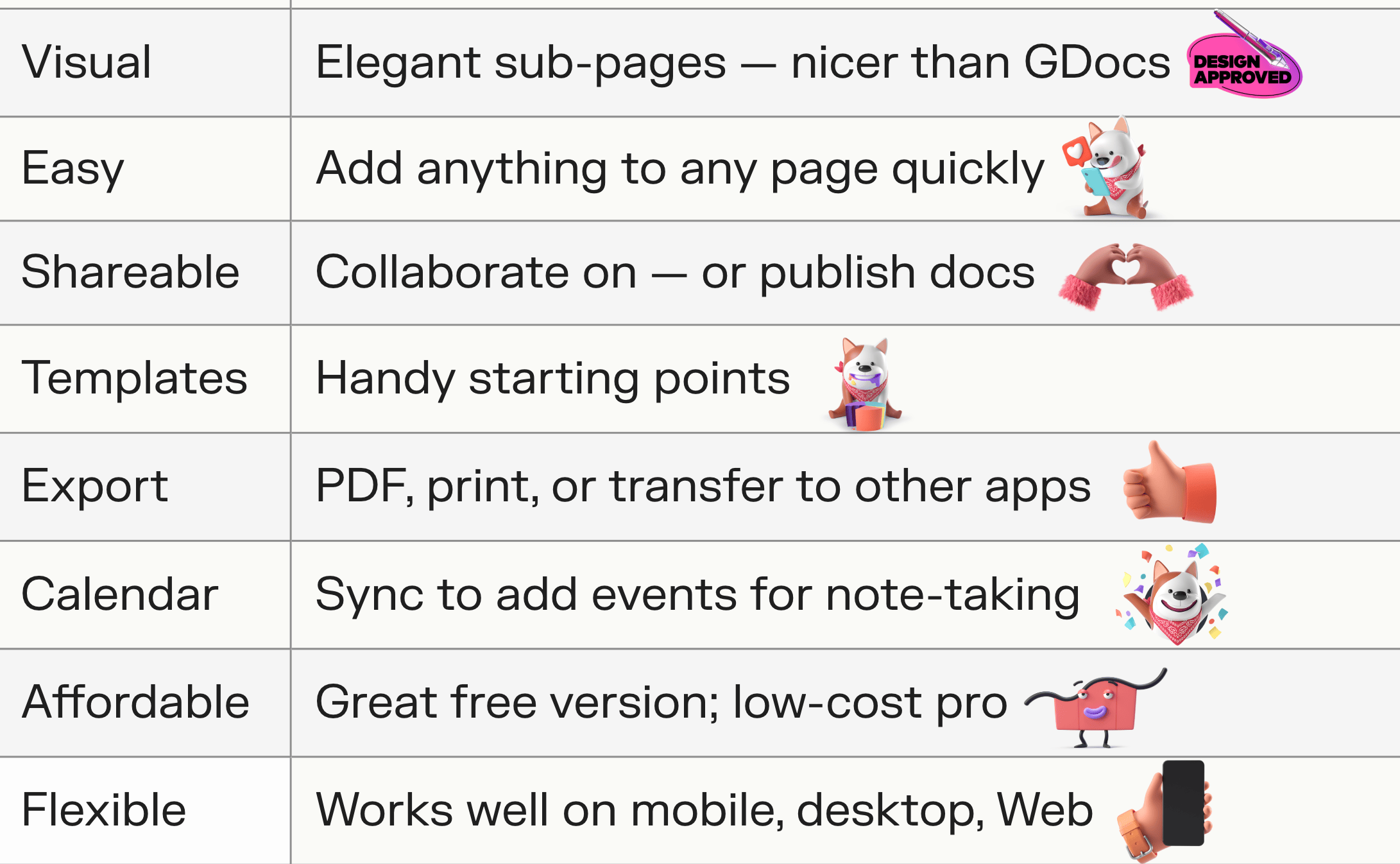
If I could use only one app, I’d pick Craft.
Craft is my favorite multipurpose document + notes tool. It looks and feels nicer than Google Docs or Apple Notes. It’s easier to use than Obsidian, Coda or Notion.
And it’s flexible enough for everything from shopping lists to client proposals. Read on for why it’s so useful, new features, limitations, and more.
Craft’s 8 best features 👍
* Visual: Elegant sub-page cards help Craft docs look neater & nicer than Google or Word Docs, which tend to bog down with lots of text...
🌟 Tally: Superb Free Surveys
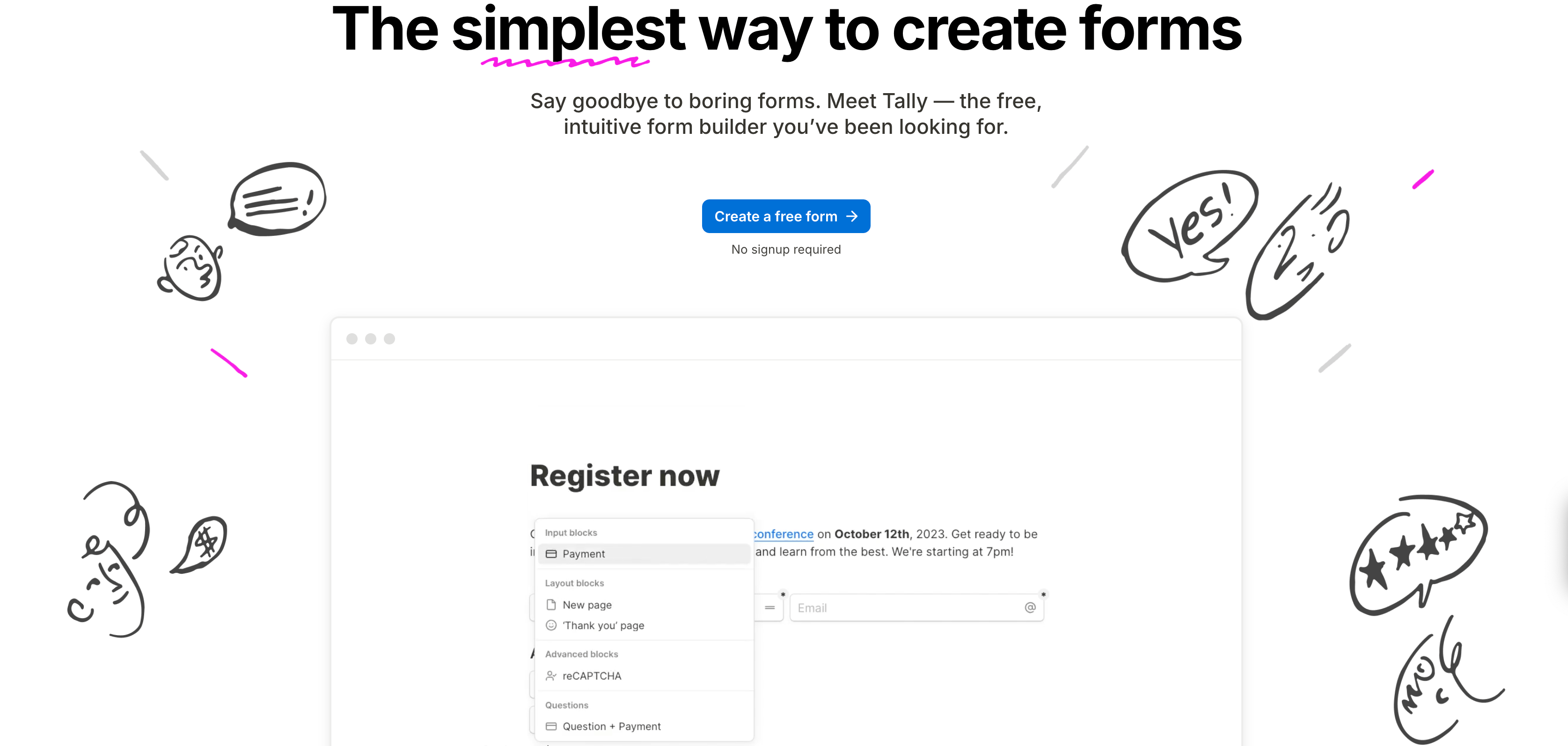
Tally is the best free tool for creating surveys. They’re better-looking and more flexible than Google Forms, and they’re just as easy to create in 60 seconds. Use it for any kind of survey, whether you’re getting feedback from clients or students, collecting RSVPs, or gathering ideas.
Get Started: Pick a template or a blank page. Add questions: multiple choice, open text, ranking, or many others. You can ask respondents to upload a file or make a payment. To enhance your design, add text blocks, images, or videos between questions. Read on for my updated guide...
Declutter your Digital Mess
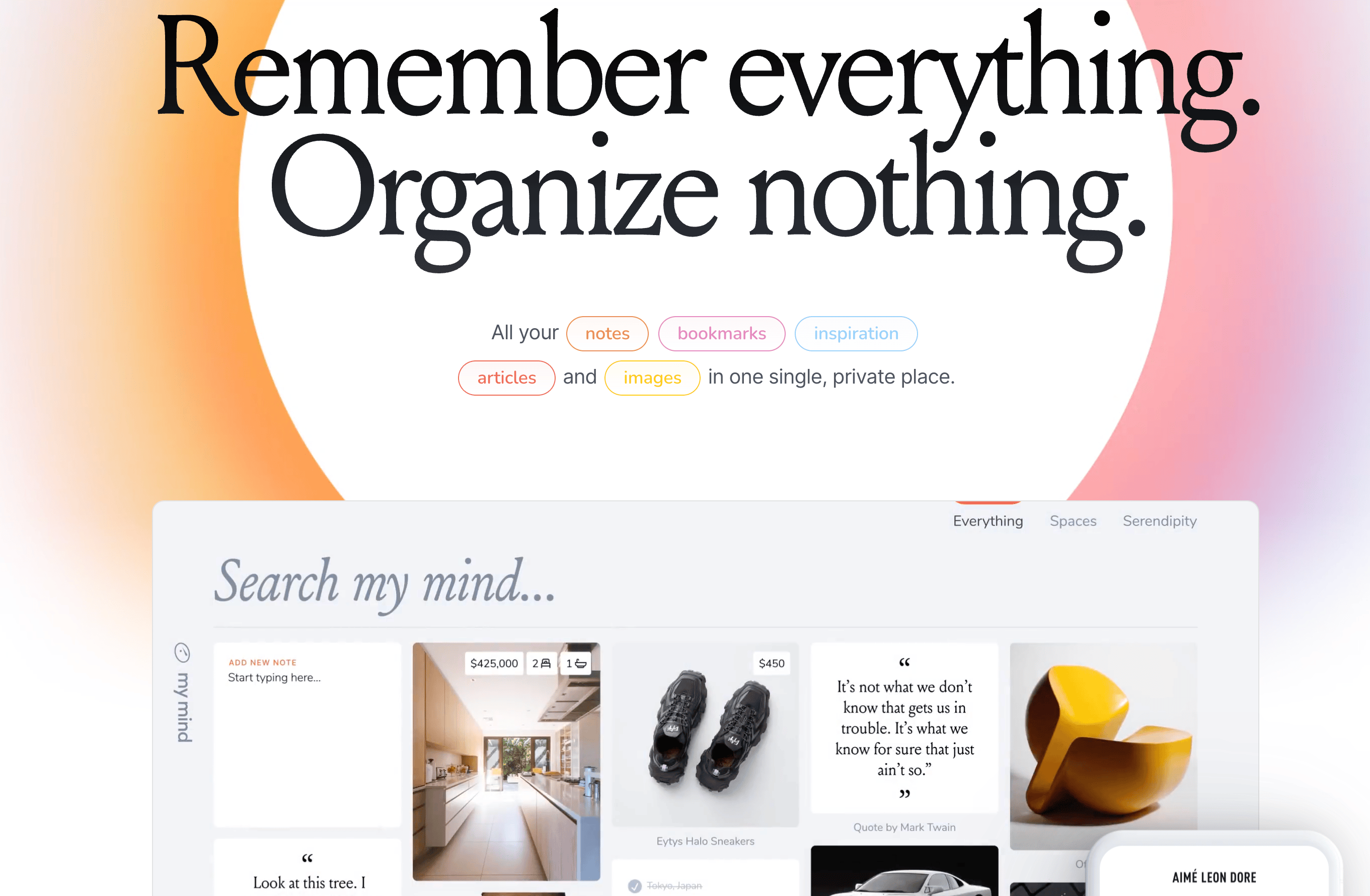
Most bookmark tools feel like cluttered digital filing cabinets—full of folders, tags, and organizational overhead. mymind is a minimalist alternative.
It’s a clean, simple online hub for saving anything you find online. Create a gorgeous private scrapbook of images, links, articles or anything else you want to save, without the hassle of labeling.
It’s an opinionated tool that’s not for everyone — caveats below include no sharing or importing. And I’ve noted a bunch of strong alternatives. But mymind remains a superb example of a design-focused service that’s a pleasure to use.
<...🎯 Perplexity Update
The audio for this post was generated by feeding the text of this Wonder Tools newsletter post into NotebookLM's new Audio Overview feature.
Read the full post on the Wonder Tools Substack page
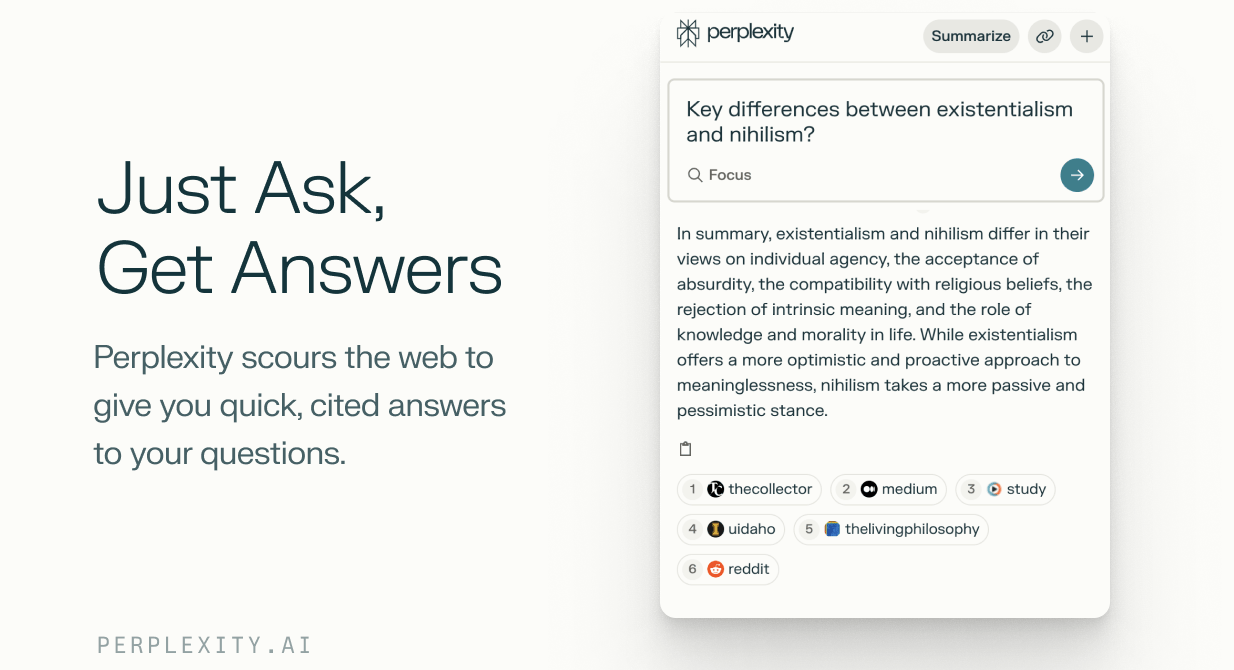
Perplexity is the most useful new search tool I’ve used this year. It uses AI to answer your questions using online sources. You get specific citations so you know where the info comes from and can dig deeper. The summary responses are concise and relevant, and the links help you validate the info. Read on for examples of when it’s most...
🏗️ Build Better Presentations
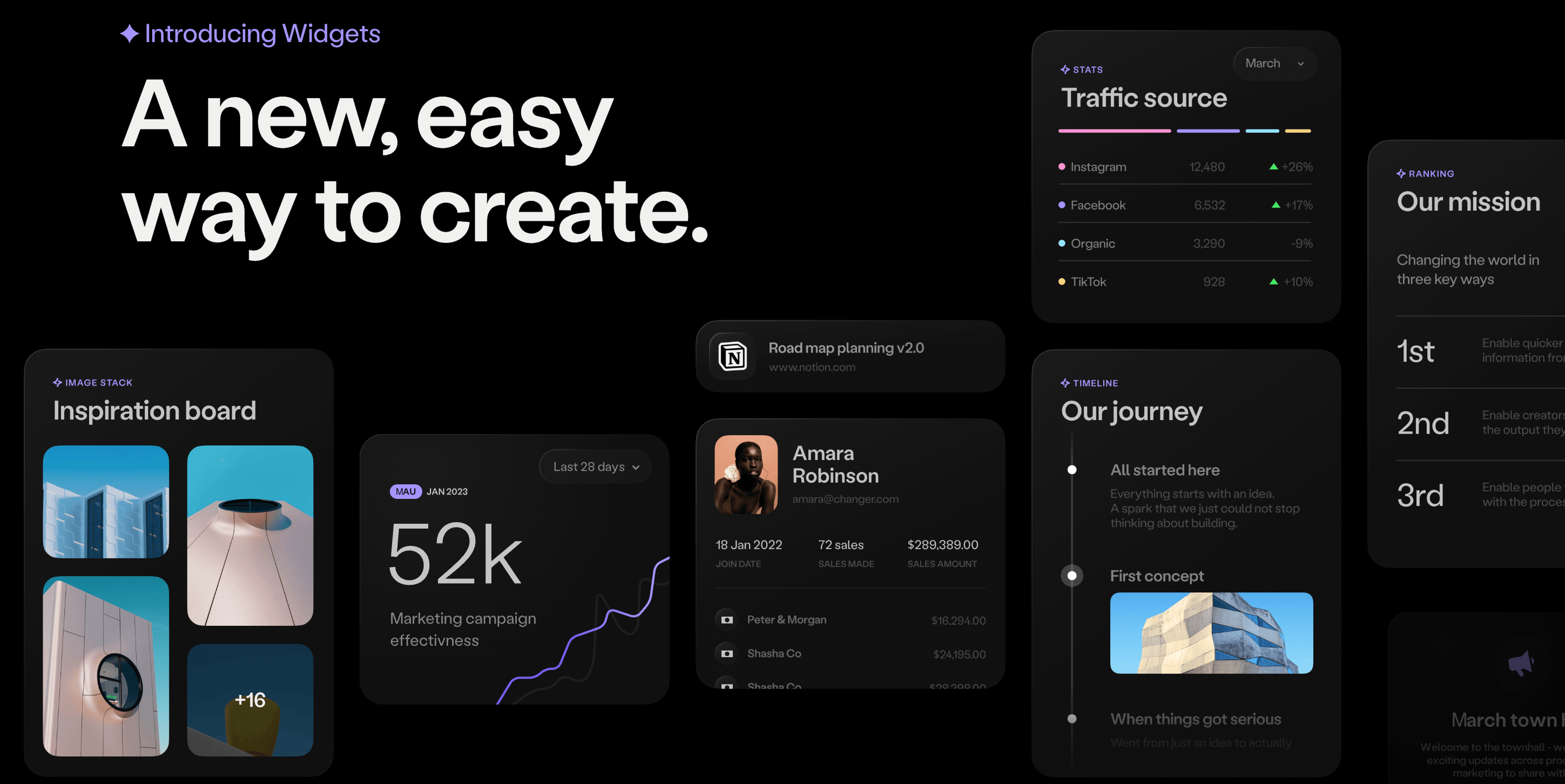
Chronicle is a promising new tool for creating compelling visual presentations. Prioritizing design and full control over bullet points or speed, Chronicle offers a valuable alternative to PowerPoint and other popular online slide services like Gamma, Beautiful.ai, Canva, and Pitch.
Because Chronicle just launched its public beta this week, some of its features aren’t full developed yet, like templates and image editing. But it’s already one of the most exciting new services for creating slick summary reports, pitch decks, and portfolios. I particularly appreciate how it lets me easily manage how each slide looks. I ca...
Google's free AI Studio ⚡️

Google’s AI Studio and Labs let you experiment for free with new AI tools. I love the way these digital sandboxes — like the one from Hugging Face — let you try out creative new uses of AI. You can dabble around then download and share what you make, without having to master a complex new platform. Read on for a few Google AI experiments to try. All are free, fast, and easy to use.
1. Transform an image 🎨
Upload a photo and use Gemini’s AI Studio Image Generation to transform it with prompts. Iterate on your origin...
🧠 Claude 4 is here

One of the best AI models just got even better. Claude 4 launched yesterday and I’ve been using it for everything from analyzing files and planning projects to copy editing and creating visual dashboards. Read on for my take on its most useful features, limitations, and five ways to use it.
🚀 What’s new with Claude 4?
💭 More nuanced reasoning. Claude’s “extended thinking” mode is now even brainier. It more thoroughly analyzes complex queries.
🧑💻 Stronger coding. Claude could already produce code quickly, but now it’s even more useful for non-coders like me. I prompt it to design dash...
🚀 Find Your Next Great Job with AI
I’ve been curious lately — how might AI help my former students — and so many others looking for new jobs — in a challenging & complicated market?
My conclusion: AI tools can serve as patient assistants. They can help you organize your search, reflect on career goals, and convey your strengths persuasively. Whether you're pivoting careers or moving up in your field, here's how to leverage AI to stand out and land a great opportunity.
1. Explore career directions
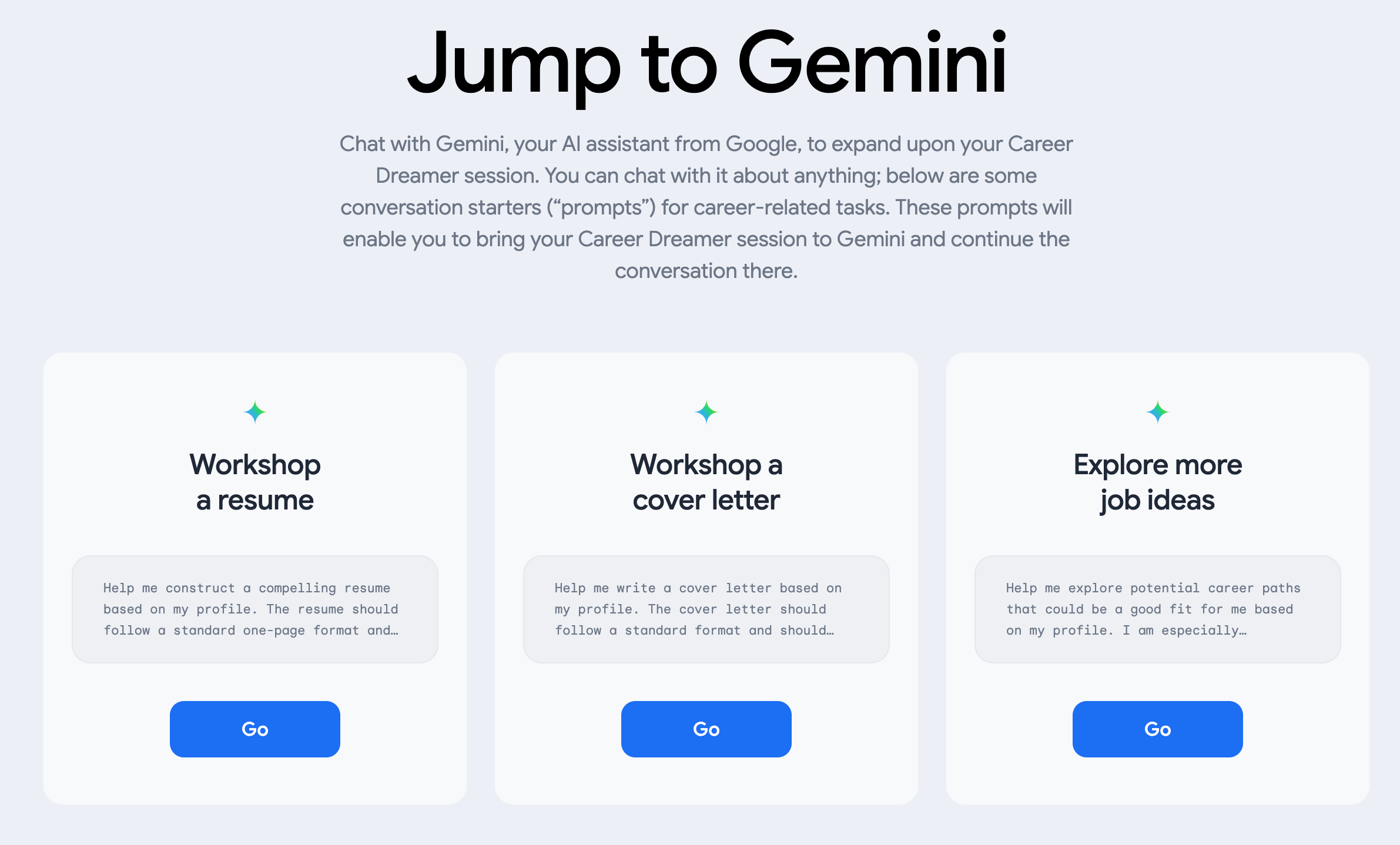
Recommended tool: Google’s Career Dreamer
What it is: A career visualization tool. See a map of pro...
🧠 Deep Research with AI: 9 Ways to Get Started

The AI search landscape is transforming at breakneck speed. New "Deep Research" tools from ChatGPT, Gemini and Perplexity autonomously search and gather information from dozens — even hundreds — of sites, then analyze and synthesize it to produce comprehensive reports. While a human might take days or weeks to produce these 30-page citation-backed reports, AI Deep Research reports are ready in minutes.
What’s in this post
* Examples of each report type I generated for my research, so you can form your own impressions.
* Tips on why & how to use Deep Research and how to craft...
5 Years of Wonder Tools 🎂
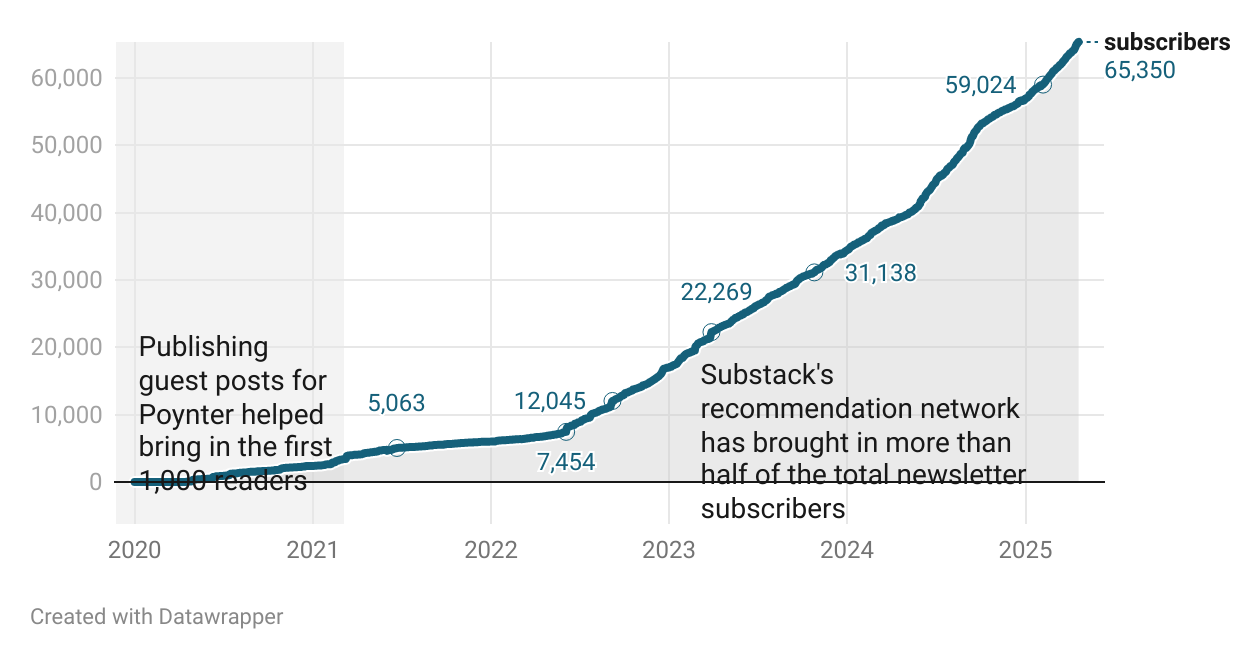
I wrote the first Wonder Tools post in April 2020 to help journalists and educators navigate the pandemic shift to remote work. I was sick and feeling isolated. I wanted to focus on something bright in that dark moment.
Five years, 265 posts, and 200,000 words later, the newsletter’s archive documents what I’ve found useful for creative productivity. My aim has been to be relentlessly practical, not theoretical, and to help people make the most of technology. Here’s a snapshot of some numbers, lessons, & highlights.
By the numbers: Wonder Tools' first five years
637 apps o...
My Noon-to-Night Tech Stack 🌙

Last week I shared the tools that power my mornings. Now let's explore what I rely on from lunch to bedtime. Below you’ll see sites, apps, and gadgets that carry me from noon to night. From a niche workshop platform to my quirky 'invisible' clock, these are the tech companions that help me wrap up a fruitful day.
Catch up on the first part of this post 👇
12pm Lunch and thinking break 🍽️
I often abandon screens for my midday pause. Other times I use apps like these:
* Healthy Minds 🧠 Short audio pieces...
7am to noon: my digital workflow ☀️

Curious about my actual tech toolkit? I'm sharing the apps and tools that powered me through a recent morning, from wake-up alarm to lunchtime break. This builds on my recent focusing and timeboxing posts. I’d be delighted to hear about the tools you’re relying on today in a comment below or an email reply.
[Check out part 2 of this post]
7am Get ready for the day ☀️
I welcome the morning by getting my body and brain moving, picking a few words of gratitude, and gauging my wellness. When I’m exhausted, running la...
Raycast: My favorite hidden gem 🚀
Raycast is one of my favorite free apps. It’s a hidden gem that helps you do almost anything on your computer—add to your calendar, list tasks, search files, do math, or control apps—without touching your mouse. It’s free for Mac and coming soon to iOS and Windows.
I use Raycast dozens of times daily for tasks that might take seconds individually, but cumulatively interrupt my flow. It saves me half an hour a week I can reallocate to deep work or family time.
Read on for seven of my favorite ways to use R...
ChatGPT’s New AI Image Creator 🎨

OpenAI just made the most significant leap in image generation I've seen over the past year. You can now type a simple prompt using ChatGPT 4o and create a remarkable photo illustration, infographic, cartoon, or just about any other visual.
What makes this special?
* Versatility. Create nearly any kind of visual you can imagine.
* Intelligence. The AI understands your intent based on an ongoing chat thread and its understanding of the world, rather than just focusing on prompt phrases. That means you don’t have to master technical lingo or explain common concepts.
...Essential AI tools for better work 💫
Today’s post grew out of a lively conversation I had with Mahan Tavakoli on his Partnering Leadership podcast. Listen to Mahan interview me about AI and its impact and you’ll hear my enthusiasm spilling over.
His podcast focuses on leadership; my take is that this tech is of tremendous potential value to all of us, whether we’re leaders, specialists, or independents. Listen to the full podcast above, watch it on YouTube, or read on for key points and my quotes in black and white.
AI’s impact as a creativity multiplier 🌼
The most...
5 new AI tools you'll actually want to try⚡️

Hundreds of AI tools emerge every week. I’ve picked five new ones worth exploring. They’re free to try, easy to use, and signal new directions for useful AI.
1. Sesame ⚡️ Talk with a surprisingly lifelike AI
Of all the AI bots I’ve communicated with, this one sounds the most lifelike. Pick either Maya or Miles to talk with for free in Sesame’s conversational demo. Try one of these topics. You can download your conversation afterwards. It’s deleted from the company’s servers within 30 days to protect your privacy.
I’ll keep an eye on t...
Paper vs Digital 📓 What finally works for me
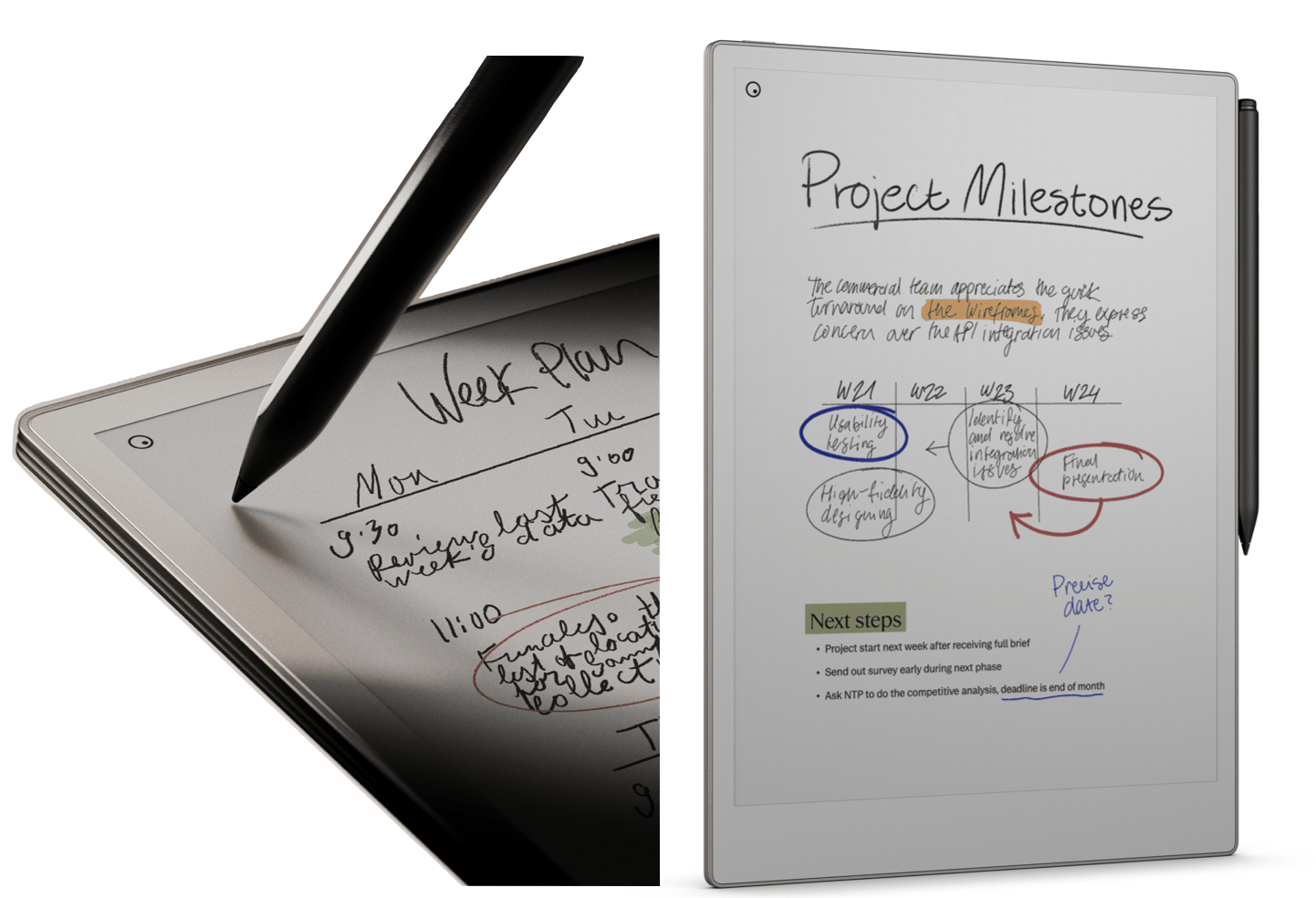
I like thinking on paper. That’s why I’ve got a box under my desk with 27 old idea notebooks. But when I’m looking for a specific note scrawled early in 2020, digital notes are helpfully searchable.
Given that paper and digital have distinct advantages, I’ve been experimenting lately with hybrid approaches. Read on for what I’ve found to be most useful.
My current notebook of choice is a sleek digital device that feels like paper: The reMarkable Paper Pro
What it is: A specialized paper tablet originating from Oslo, Norway that feels...


